Reference

Join ase777 and Get Into the Lobby Fast

Creating your ase777 account takes just a few steps — enter your details, connect a local wallet like bKash, Nagad, or Rocket, and you're in. Availability depends on your local law and eligible regions, so check that first.
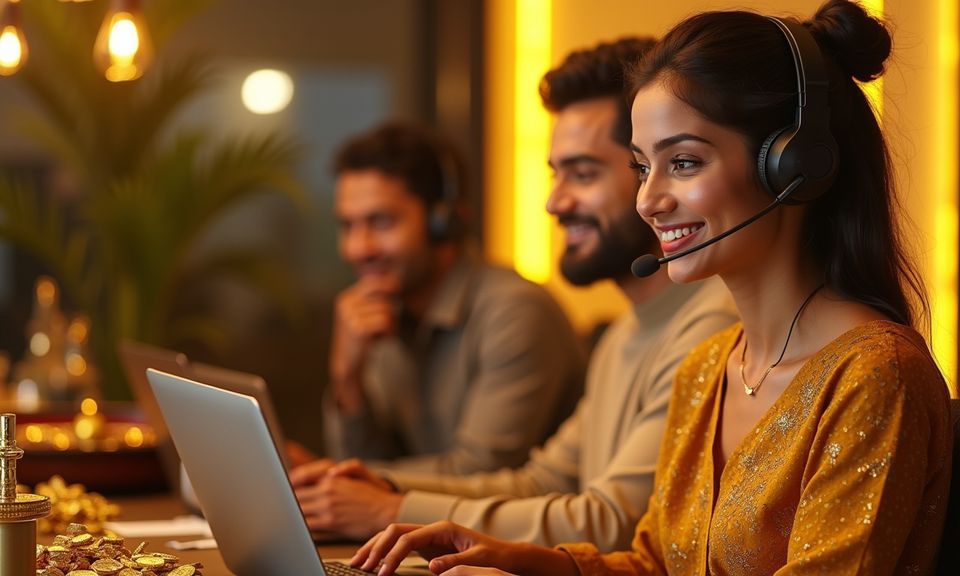
Quick account setupbKash, Nagad, Rocket depositsLive casino, slots and sportsbookMobile-ready from any device
ase777 Join ase777 and Get Into the Lobby Fast
ACCOUNT SAFETY SIGNALS

How We Protect Your Account

Your account security rests on a few concrete layers we keep active across every session. OTP verification at registration ties your account to a real mobile number from the start. Data sent between your device and our servers travels over SSL encryption, so your login credentials and payment details are not exposed in transit. We also run identity verification at withdrawal — this step confirms that the person requesting the payout is the same person who registered. Account access and service availability depend on your local law and eligible regions; we state that clearly rather than making promises we can't back.

SSL Encryption Every page on ase777, including the registration form, runs over SSL. Your personal details and wallet information are encrypted before they leave your device.
OTP Identity Tie Linking your account to a verified mobile number at sign-up means only someone with that phone can confirm login or reset credentials — a simple but effective barrier.
Withdrawal Verification We check identity documents at the withdrawal stage. This protects your balance from being paid out to the wrong person and keeps the account owner in control.
Data Protection Policy We collect only what's needed to run your account — no selling your data, no sharing it outside the platform's operational needs. Check our privacy page for the full scope.

What Happens When You Register

When you open your account, you'll fill in a short form — your name, email address, and a mobile number we can verify. After that, a one-time password (OTP) goes to your phone so we can confirm ownership. Once verified, your account wallet is active and ready for a deposit. We ask for identity documents

at the withdrawal stage, not upfront, so you can explore the lobby before uploading anything. If you run into any step that feels unclear, our support team is reachable via live chat directly from the account page. Keep your login details somewhere safe — we do not store plaintext passwords, and account recovery goes through

the mobile number you registered with.

  • OTP Verification A one-time password sent to your registered mobile confirms your account ownership right from the start — no guesswork, no waiting on email chains.
  • Wallet Ready on Activation Your account wallet is active the moment registration completes. Link bKash, Nagad, or Rocket and your first deposit can clear almost immediately after.
  • Identity Check at Withdrawal We verify your identity when you request a withdrawal, not before. Browse the lobby and make a deposit first — documents come into play when you cash out.
  • Live Chat on the Account Page If any registration step stalls, open live chat from the account page. The support team can walk you through OTP issues, wallet linking, or form errors.

Account

When you open your account, you'll fill in a short form — your name, email address, and a mobile number we can verify. After that, a one-time password (OTP) goes to your phone so we can confirm ownership. Once verified, your account wallet is active and ready for a deposit. We ask for identity documents at the withdrawal stage, not upfront, so you can explore the lobby before uploading anything. If you run into any step that feels unclear, our support team is reachable via live chat directly from the account page. Keep your login details somewhere safe — we do not store plaintext passwords, and account recovery goes through the mobile number you registered with.

Explore the Lobby

Your details are encrypted for secure account access.

Deposit the Way You Already Pay

ase777 is set up for the wallets Bangladeshi account holders already use every day. Once your account is active, head to the deposit section, pick your method, and follow the standard send flow inside your wallet app — confirm the amount, enter your PIN, done. Deposits via bKash, Nagad, and Rocket typically reflect in your account wallet quickly. Rocket is useful if you prefer a bank-linked route; Nagad works well if your mobile number is your primary financial tool. All three sit in the same chip row inside your account so switching between them is a single tap.

bKash

Send from your bKash app to the account number shown in the deposit screen. Confirm with your PIN and the amount moves to your ase777 wallet promptly.

Nagad

Nagad works for accounts where your mobile number doubles as your financial address. Open the app, paste the displayed number, confirm, and you're funded.

Rocket

Rocket suits account holders who prefer a bank-linked mobile wallet. Follow the standard Rocket send flow and check your ase777 wallet for the updated balance.

ACCOUNT HELP PATHS

Get Help With Your Registration

Registration questions come in three flavours: OTP not arriving, wallet linking failing, or a form field throwing an error. Each has a fast fix. Live chat is the quickest path — open it straight from the registration or account page without leaving the site. Email support works for anything that needs a screenshot or document attached, like an identity verification query. The help section inside your account also covers the most common steps in plain language, so check there before reaching out if you prefer to solve it yourself.

Live Chat Open live chat from the registration page itself. Share your issue and the team can resolve OTP problems, wallet errors, or form blocks while you wait.
Email Support For queries that need a document or screenshot attached — identity verification, wallet mismatch — email support handles it with a written record you can refer back to.
Account Help Section The help section inside your account covers registration steps, deposit linking, and OTP flows in plain language. Check it first for common issues before escalating.

Common Questions About Signing Up

If you're unsure about any part of the registration process — from the form fields to OTP timing to what happens after you verify — the answers below cover what most account holders ask before and after they sign up.

You need a valid mobile number, an email address, and a name that matches your identity documents. The mobile number is what we send your OTP to, so it has to be active and accessible.

The form itself takes under two minutes to fill. OTP delivery is usually near-instant. Once confirmed, your account wallet is active and ready for a deposit straight away.

Yes. Once your OTP is confirmed and your account is active, go to the deposit section, select bKash, and follow the standard send flow inside your bKash app to fund your wallet.

Wait about 60 seconds, then use the resend option on the verification screen. If it still doesn't arrive, open live chat from the same page and the support team can check the issue.

No documents are required at registration. Identity verification only comes into play when you request a withdrawal — so you can explore the lobby and deposit before uploading anything.

Availability depends on your local law and eligible regions. We recommend checking the terms and any local regulations that apply to your location before creating an account.

Use the account recovery flow on the login page. It sends a reset link or OTP to your registered mobile number — the same one you used when you signed up.
Reference

Register

Service availability depends on eligible regions and local law. Users should check local rules before opening an account.

Access may be available only where local law permits.